
Help
Quick fixes for the snags we see most. The SETUP.md guide in your download has the full list.
Getting set up
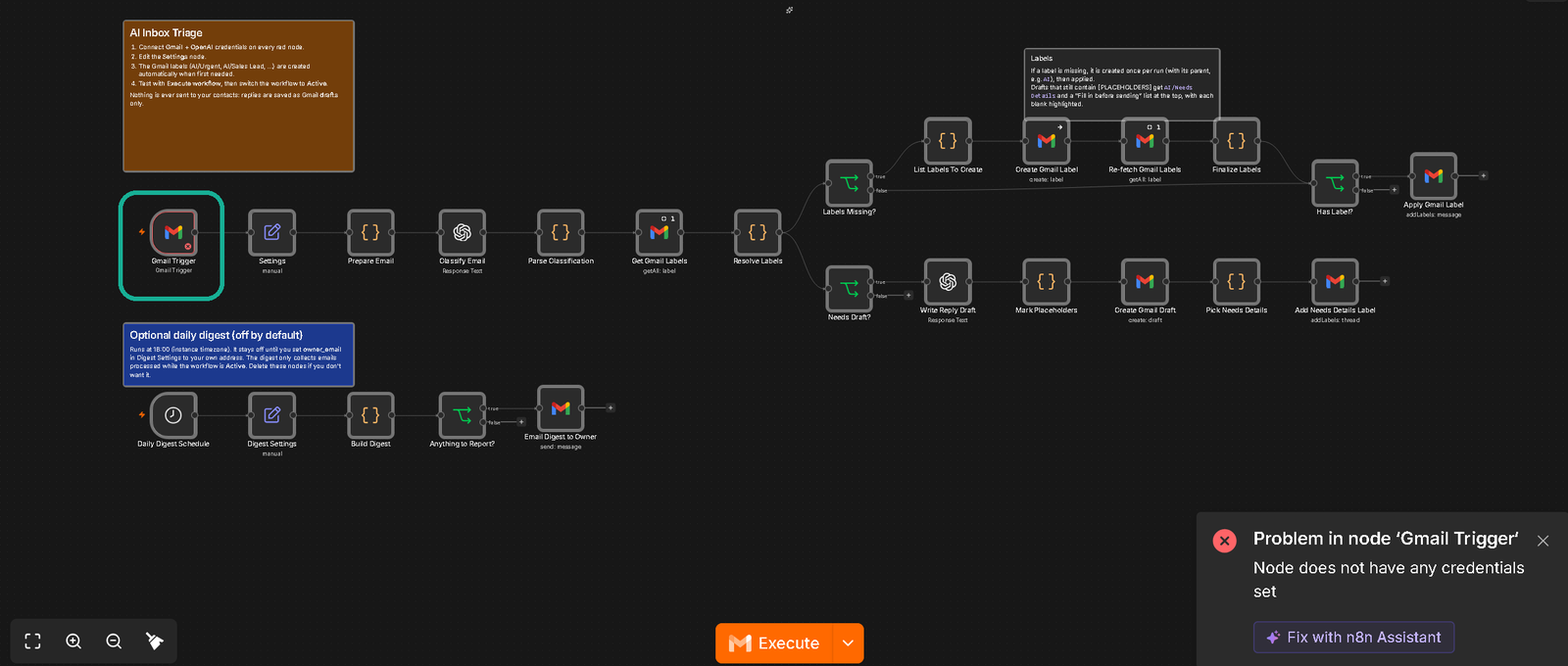
A node shows a credential error after import
Open every Gmail and OpenAI node, pick your account under Credential, then save. Create Gmail Label and Re-fetch Gmail Labels arrive with nothing selected, so check those two as well. Walkthrough: Inbox Triage at 2:35, Lead Pursuit at 2:40.
OpenAI returns a 401 or 429 error
Paste your API key again and make sure billing is on with credit left in your OpenAI account. A 401 points to a wrong key, while 429 usually means no billing or an empty balance.
Setting up the Lead Catcher Bundle
Start with Inbox Triage. Lead Pursuit follows up on conversations tagged AI/Sales Lead, and Triage adds that label to new leads for you (or you can add it by hand). Walkthrough: the AI/Sales Lead label at 0:46.
When nothing happens
The run succeeded but nothing changed
Send a fresh test email and run it again. Inbox Triage only picks up mail that arrived since its last check, and Lead Pursuit only drafts once a lead has waited 2 or 3 days, so lower those day settings while testing.
Lead Pursuit skips my test lead
Send the test from a different address than your own. Messages from your account count as your side of the conversation, so a thread you send to yourself has no lead in it.
It only works when I click Execute
Click Publish (or flip the Active toggle on older n8n) so the workflow runs on its schedule. Execute workflow is a one-time test. Walkthrough: Inbox Triage at 3:59, Lead Pursuit at 4:13.
Drafts and labels
Where to find the labels in Gmail
Look in Gmail's left sidebar under AI (click More if the list is collapsed). Each label is created the first time an email needs it, so new ones show up as matching mail arrives.
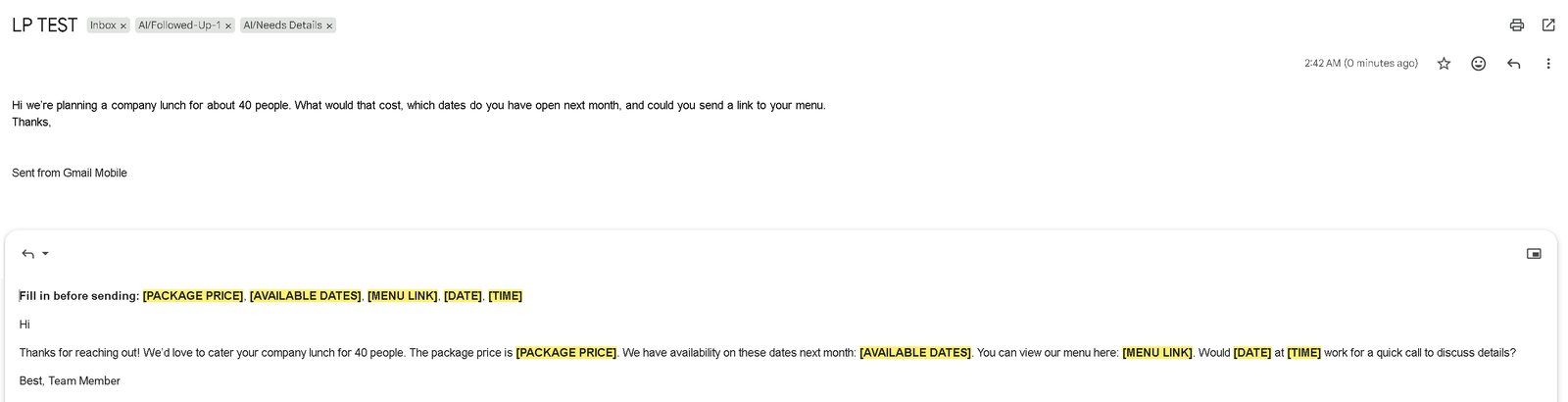
Yellow [BLANKS] and the AI/Needs Details label
Fill in each highlighted blank, delete the "Fill in before sending" line, then send. When a reply needs a price, date or link we don't have, the AI leaves a blank like [CONFIRM PRICE] instead of guessing and tags the thread AI/Needs Details. Search label:ai-needs-details in:drafts to find them, and remove the label once you're done.
Still stuck
Email readyupagents@gmail.com with the template name and a screenshot of the node showing the error. We'll help you get it running.
Full walkthroughs: Inbox Triage · Lead Pursuit